
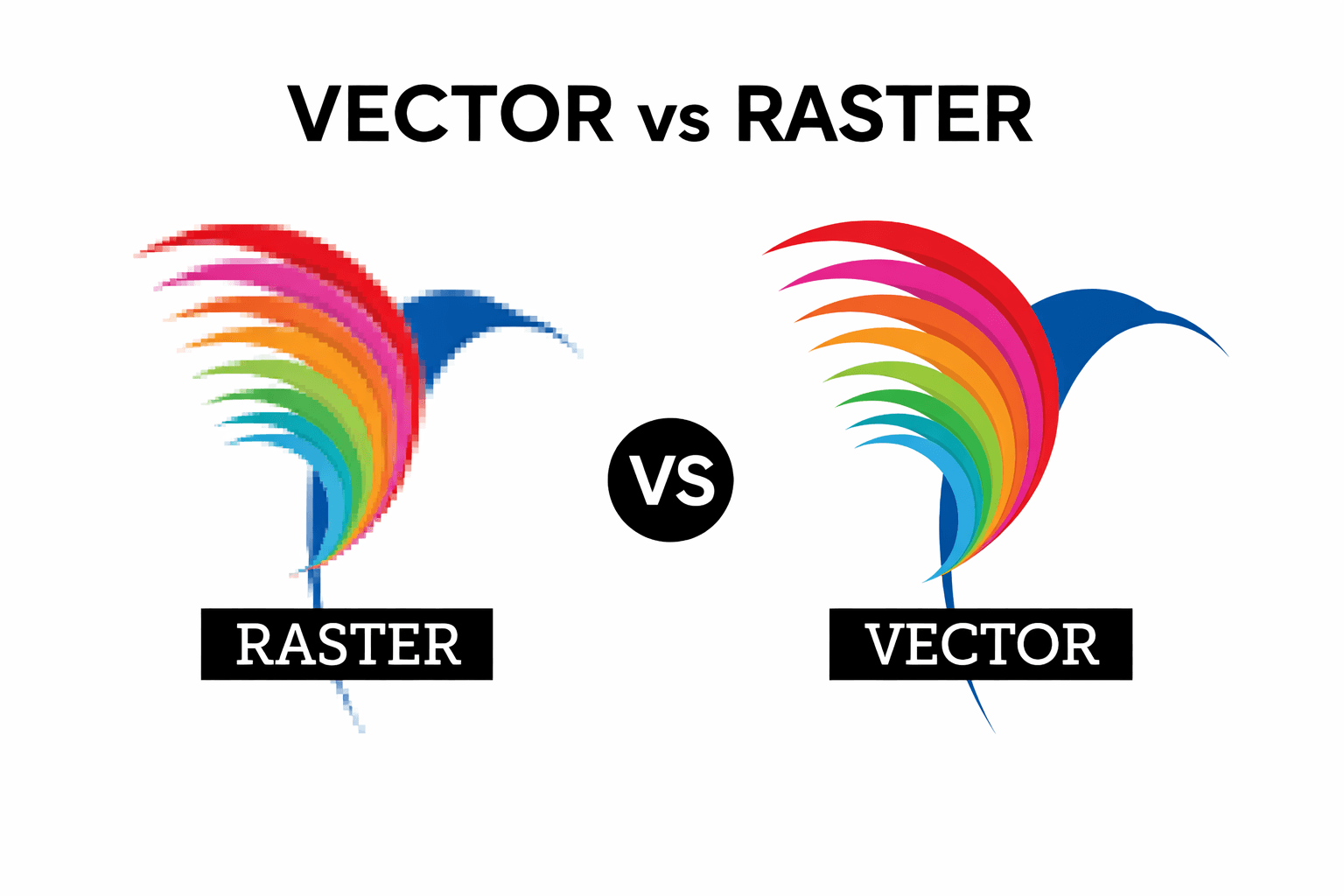
Vector vs Raster Logos: Why It Matters for Professional Signage
With the rise of AI logo generators, more businesses are creating logos faster than ever — and that’s not a bad thing. AI can be an excellent starting point for inspiration and can output logos that look polished and professional on screen.
However, while AI-generated logos are improving rapidly, they aren’t quite there yet when it comes to producing true, mathematically perfect vector artwork. Most AI tools still output raster-based graphics that work well at small sizes, but struggle when a logo needs to be scaled up for professional uses like signage, CNC routing, or 3D fabrication. That limitation usually doesn’t show up until the logo leaves the screen and enters the real world.
As a professional sign shop, this is something we’re seeing more and more.
What Is the Difference Between Vector and Raster Images?
Most logos fall into one of two categories:
Raster images (JPG, PNG, screenshots)
Made from pixels
Resolution-dependent
Suitable for screens and small graphics
Lose quality when scaled up
Vector files (AI, EPS, SVG, PDF)
Built using mathematical paths
Infinitely scalable
Clean, sharp edges at any size
Required for professional print and fabrication
A logo that looks crisp on a website header or business card can quickly fall apart when enlarged for a storefront sign or reception logo.
Why Raster Logos Fail When Used for Signage
Raster logos don’t contain true lines — only pixels approximating edges.
When those images are scaled up, common issues appear:
Jagged or fuzzy edges
Misshapen curves
Uneven spacing
Poor results when cutting or routing
These problems become especially noticeable on:
Storefront cabinet signs
Reception signage
3D printed letters
CNC-routed acrylic or aluminum signs
Screens hide imperfections. Fabrication exposes them.
Why CNC Machines and 3D Printing Require Vector Files
CNC routers, vinyl plotters, and 3D printers don’t interpret artwork visually — they follow data.
These machines require:
Perfectly defined paths
True curves and straight lines
Closed, mathematically accurate shapes
Vector artwork provides an exact line for machines to follow. Raster images simply don’t contain this information, which is why professional sign shops insist on vector files — it’s not preference, it’s necessity.
Can an AI or Raster Logo Be Converted to Vector?
Sometimes — yes.
A logo can often be vectorized successfully if it is:
Very high resolution
Simple in design
Low in fine detail
Problems arise when logos include:
Intricate linework
Perfect geometry (circles, symmetry, grids)
Small or thin text
Complex shapes
Automatic vector tracing may look acceptable at first glance, but often introduces subtle inaccuracies that become very obvious when the logo is scaled up for signage. In those cases, a manual rebuild in Adobe Illustrator is the only way to achieve professional results.
Thinking Beyond File Formats
Rebuilding a logo as a vector is often just the first step. Many businesses also benefit from having logo variations and simple brand guidelines to ensure their branding works consistently across signage, print, and digital applications.
👉 Read next: Why Logo Variations and Brand Guidelines Matter for Growing Businesses
How We Can Help
Here at DisplayWorks Signs & Graphics, we regularly help clients bridge the gap between inspiration and production.
We can:
Professionally rebuild AI or raster logos into true vector files
Prepare artwork specifically for signage, CNC, and large-format printing
Catch issues early — before they become costly fabrication problems
If you’re unsure what format your logo is in, feel free to reach out. We’re always happy to take a look and point you in the right direction.